Categories
Using the Accordion Block for Expandable Content
Accordion blocks let you hide long content behind a clickable heading that expands
How accordions work
Accordion blocks let you hide long content behind a clickable heading that expands when clicked – ideal for FAQs, policy documents, or long lists of properties where you don’t want to overwhelm the page.
Adding an accordion
- Click the + icon and search for “Accordion”.
- Add the Accordion block, then add individual Accordion Item blocks inside it – one per expandable section.
- Give each item a clear, descriptive title, since this is the only text visible before someone clicks it.
- Add your content inside each item as you would in a normal block area – paragraphs, lists, links, and so on.
Accordion Content
Settings and behaviour
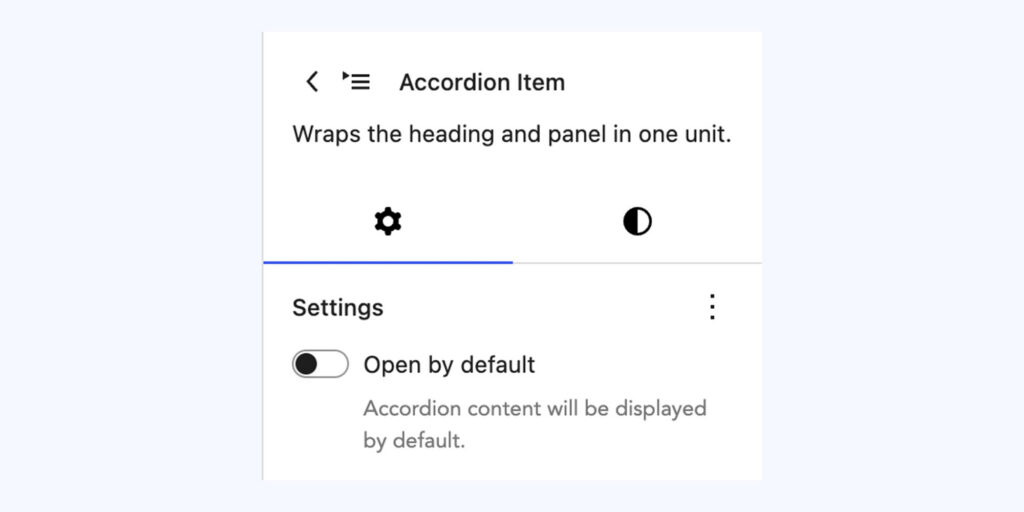
- Open on load – individual accordion items can be set to appear expanded by default when the page loads, rather than starting collapsed. Useful if there’s one section most visitors need first – look for this option in the block settings panel with the item selected.
- Nesting – accordion items can contain most standard blocks (images, buttons, even columns), but keep individual items reasonably short – if one item ends up longer than the rest of the page, it may be a sign that content should be broken into more items or moved out of the accordion altogether.
- Reordering – accordion items can be dragged into a new order using the block mover handles, or moved via the three-dot menu if you’re on a touch device.
When to use it
- Long FAQ-style content
- Policy or safeguarding documents with several distinct sections
- Property listings or similar repeated, detailed entries
Careful: Don’t hide genuinely important information (like a phone number or safeguarding contact) inside a collapsed accordion – keep critical details visible without a click.
Conversation
Leave a Reply
You must be logged in to post a comment.
Have you found this useful?
Yes: 0
0
Thanks for the feedback. Let us know what was missing and we will improve this page.
Thank you for your feedback.